
DIN Surrender
Let Cloud Accouting Incorporation handle the complete DIN surrender process for you, ensuring compliance and a hassle-free experience.
We are now live for Registration on



Step-by-Step DIN Surrender Process
From document collection to final approval — every step made simple and transparent.

Documentation
The DIN holder provides the necessary documents required for the surrender process.

Form Preparation
Our team prepares the required forms and verifies all details for accuracy.

Filing DIR-5
Form DIR-5 is drafted and filed to initiate the DIN surrender request.

Filing RD-01
Form RD-01 is prepared and submitted as part of the approval process.

Submission with DSC
All forms are submitted to the authorities after the Director’s Digital Signature Certificate (DSC) is affixed.
Approval
The department reviews the application, approves it, and sends confirmation to the director’s registered email ID.
Why do we need to surrender a DIN?
A person is allowed to hold only one Director Identification Number (DIN) as per government regulations. If someone has mistakenly obtained more than one DIN, they must surrender the additional DIN to avoid non-compliance. Therefore, before applying for a new DIN, individuals should always check the MCA database to ensure that a DIN has not already been allotted to them.
What is the procedure for filing Form DIR-5 for surrendering a DIN?
A person who wishes to surrender their DIN must file Form DIR-5 with the MCA. The applicant needs to provide the following details in the form:
How to check if a person has multiple DINs?
You can verify the DIN(s) allotted to a person by visiting the MCA portal: http://www.mca.gov.in and using the DIN verification tool.
This helps ensure that a person does not hold more than one DIN before applying for a new one.
Required Documents for Authorized Share Capital Increase

 Accly AI
Hire your new AI
Teammate
Frequently asked questions
Insights, Tips & Financial Wisdom
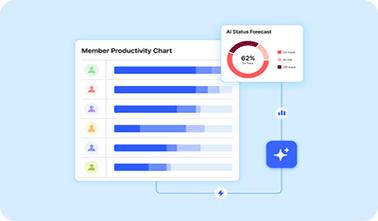
Plan Smart
The key to Aligning Teams and Boosting Efficiency and Boosting Efficiency

Stay Ahead
How Dynamic Workflows Keep Teams Moving Forward
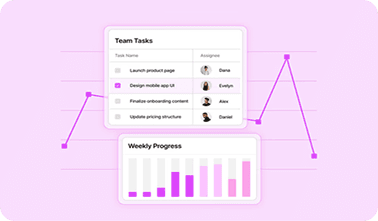
Smart Priorities
Mastering Task Prioritization In Fast-Paced Teams
Save smart. Achieve more.

Keep up with the latest
Join our newsletter to stay up to date on features and realeases.
Stay up to date
By subscribing you agree to our Privacy Policy


Make your complicated finance more simple
info@cloudinc.co
+91 9999733752
Follow Us:


Business Starting Services
Business Managing Services
Business Compliances Services
About us
Blogs
Contact us
Careers
Pricing
Media & Press
User Reviews
Privacy Policy
Terms & Conditions
Trust & Safety
© 2014-2026 Cloud Taxify incorporation
Designed and Developed by Script Studio Team✌️